Change the page angle to enhance readability and appearance. Rotate pages to 90 degrees (left or right) and 180 degrees.
100% Safe & Secure | No Credit Card Required

Learn System Compatibility
A Windows Application
2GB
Recommended 4GB
Installation & Temporary File Management
Just 500 MB
A standalone application to run without third-party tools and internet
Follow the steps to rotate Pages
Launch the PDF Champ and in basic tools window,select 'Rotate PDF'
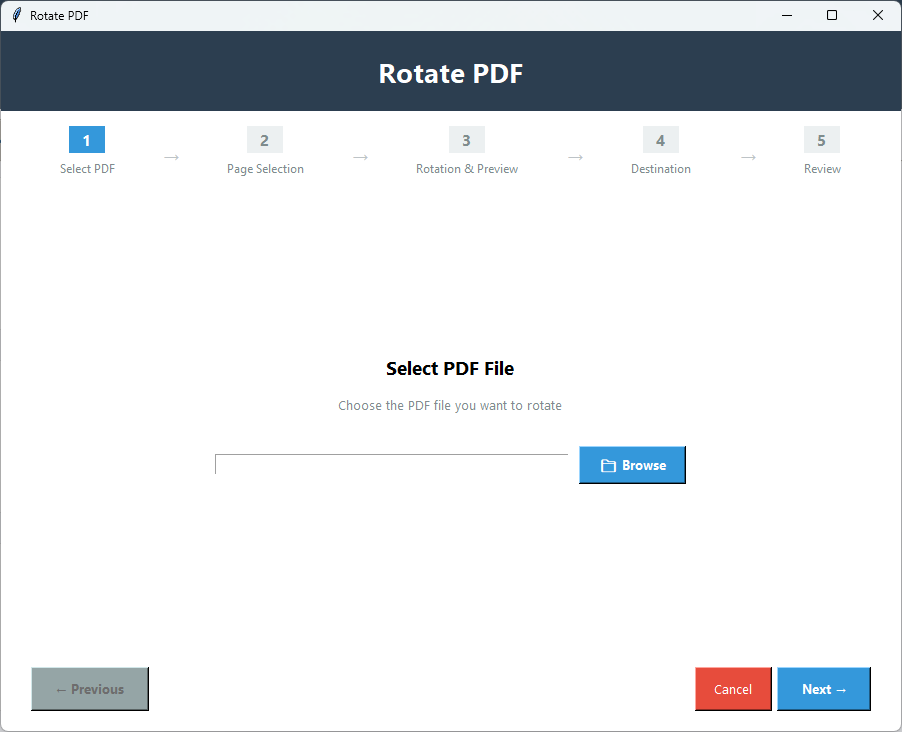
Click 'Browse' to choose a PDF file that you want to rotate.
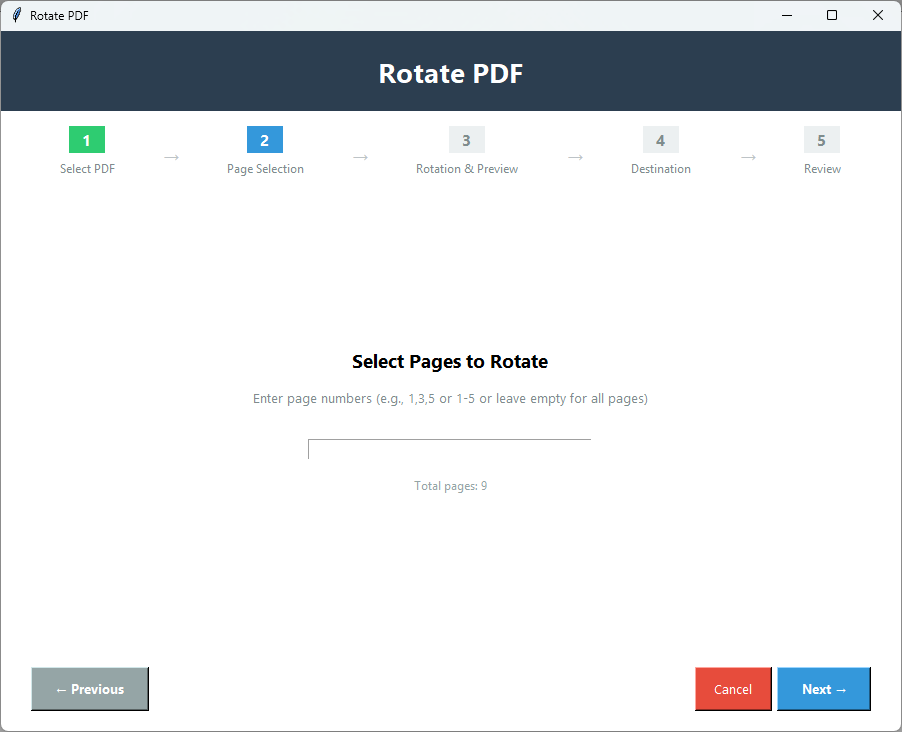
Click Next,choose all pages,specific pages,or page ranges.
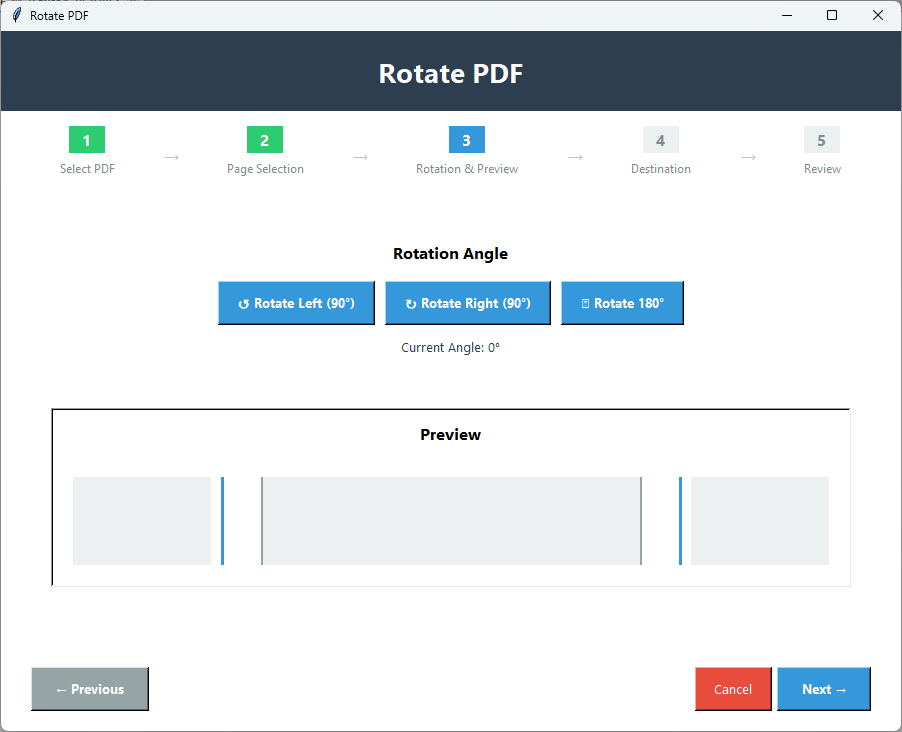
Click Next to set the rotation angle – left or right 90° or 180° (upside down).
Get the real-time preview of the pages to make adjustment quickly and avoid mistakes.
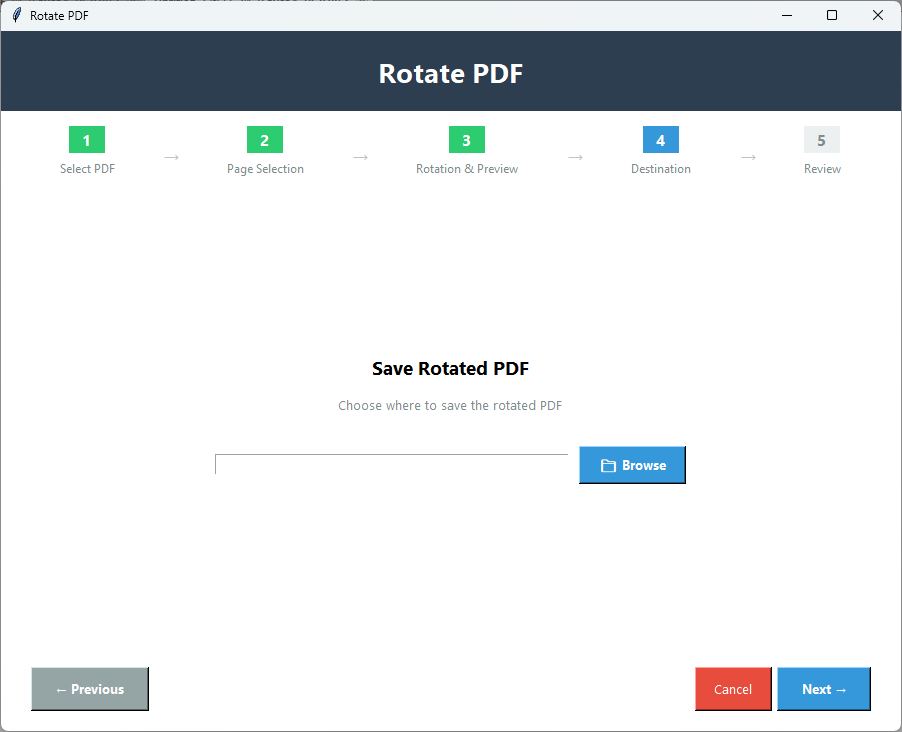
Click Next to save PDF in a local folder by clicking "Browse" button.
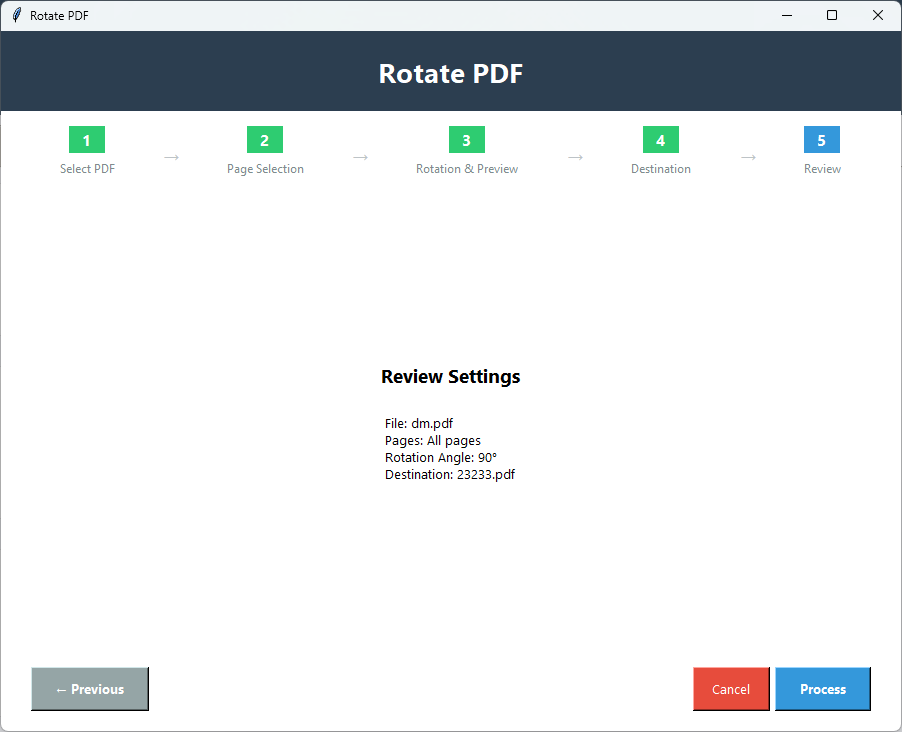
Press Next to get the details of the number pages rotate and in which direction. Finally,press "Apply" button to get the result.
Powerful features for rotating PDF pages
For any reason you want to rotate pages of PDF files such as printing,better appearance,and cohesive layout,the application can customize the rotation degree to fit your needs.
The tool can rotate entire pages of a PDF file or selective pages. Choose a page number or page range to apply the selected rotation degree.
You can rotate pages in three angles 90 degrees left,90 degrees right,or 180 degrees. It supports rotation of one type angle at once.
The tool involves 4 steps to rotate pages. The interactive interface will itself guide you for the next process.
File quality is always preserved by the app. The angle rotation only rotates pages without losing file quality and content.
The free version of this app shows the steps for rotation by allowing you to rotate limited pages. It is the exact copy of the licensed version.
See what you get with the full version
| Feature | Demo Version | Full Version |
|---|---|---|
| Rotate by 90°,180°,270° | Available | Available |
| Live Preview | Available | Available |
| Selective Page Rotation | Available | Available |
| Number of Pages | Limited | Unlimited |
| Quality Preservation | Yes | Yes |
| Output Watermark | Yes - "PDF Champ" on all PDFs | No watermark |
| Price | Free | Purchase required |
Click on images to zoom and view in detail


Designed for Everyone- Personal to Professional
Correct pages scanned in wrong orientation. With this feature you can take away the problem of scanning sideways or upside down.
With this feature you can manage the layout of pages. Sometimes,PDF files contain mixed orientations such as portrait and landscape,the tool helps you fix this.
By adjusting the page layout in the same direction you want,you will get the desired printing result every time.
If pages are not properly aligned,users may experience difficult to read pages. You can fix the issue within a few clicks.
Our Clients Review
Answers of Common Questions
You have three options. You can choose anyone of them at a time.
The tool rotates the entire page of a PDF file at once.
It has passed the quality test for each of its tasks. The tool is reliable to use.
Yes,it can. For which,it has options to unlock the file.
The utility has previous button to reset the rotation before you click the final button.