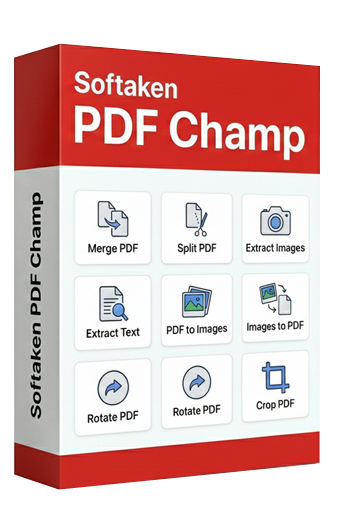
An advanced application to extract images from single and multiple PDF files. Enable users to extract images from entire pages or specific pages in a few easy steps!
100% Safe & Secure | No Credit Card Required

Evaluate Compatibility of the System
Designed for Windows OS 11,10,and others
Support 2GB
Recommendation 4 GB
Need only 500MB free space
A standalone app,need no additional tools and internet
Follow the Simple Steps
Start the application and click 'Extract Images' in the Basic Tools window.
Press the 'Browse' button to choose a local PDF file that you want to extract and then Next
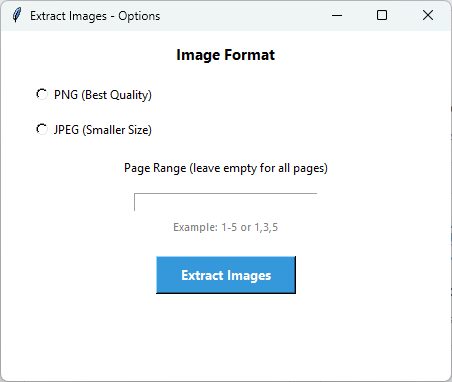
Select the image format- JPEG or PNG
Customize the extraction feature by selecting the page range or page numbers.
Press Next to choose a suitable local folder to save the extracted data.
It displays the details. For example,page range and file name.
Finally,press 'Process' to get the result
Significant Features of PDF Image Extraction
This advanced application can scan and extract any visual content or embedded images from the PDF document. It extracts photos,diagrams,graphics,and charts.
The extracted images can be saved in JPEG which allows you to store more images. The quality is a little compromised.
Select PNG format to preserve the images of PDFs in high-quality. Each detail of images you obtain will be sharp and clear.
This feature gives speed to extraction. You can extract images of single,double,and multiple PDF files at once without compromising quality.
The tool offers enough control on extracting images. You can manually provide the page range or specific pages to get the desired result.
Its interface is interactive. You don't need prior training to understand its key functions. This is a self-descriptive multi-tasking application.
See what you get with the full version
| Feature | Demo Version | Full Version |
|---|---|---|
| Extract Images | Available | Available |
| Multiple Formats | Available | Available |
| Quality Preservation | Yes | Yes |
| Number of Images | Limited | Unlimited |
| Batch Processing | Single file | Multiple files |
| Output Watermark | Yes - "PDF Champ" on all PDFs | No watermark |
| Price | Free | Purchase required |
Click on images to zoom and view in detail

Perfect for professional and personal needs
Sometimes,you want to extract only images from PDF files to use them for other projects such as social media post and sharing data.
If you have used a PDF file for a photo portfolio and now you want to extract specific photos,this tool will help you. It can extract photos from specific pages.
With this extraction,you can build image libraries from PDF sources. It allows you to extract various visual elements to use for photoshop and other purposes.
A PDF file on finance and demographics content charts. With this application,you can extract those charts to reuse them in PowerPoint to make your presentations more attractive and valuable.
Clients Feedback
Answers of Common Questions
PNG for high-quality and JPEG for low-quality images.
The licensed version of this application supports batch extraction. You can extract images from single and multiple PDFs.
Yes,it supports extraction from protected PDFs. For this,you first unlock the application using its unlock feature and then choose the extract image format.
The tool automatically takes the image name which the PDF file name and the page number so that you can organize these files easily.
No,it doesn't need technical assistance for installation and configuration. Its interactive interface allows you to perform extraction task independently.