📸 All to PDF Screenshots

Explore the software interface through detailed screenshots and click on any image to zoom and view in detail.

Softaken Interface Screenshots

1All to PDF Main Interface Screenshot 1
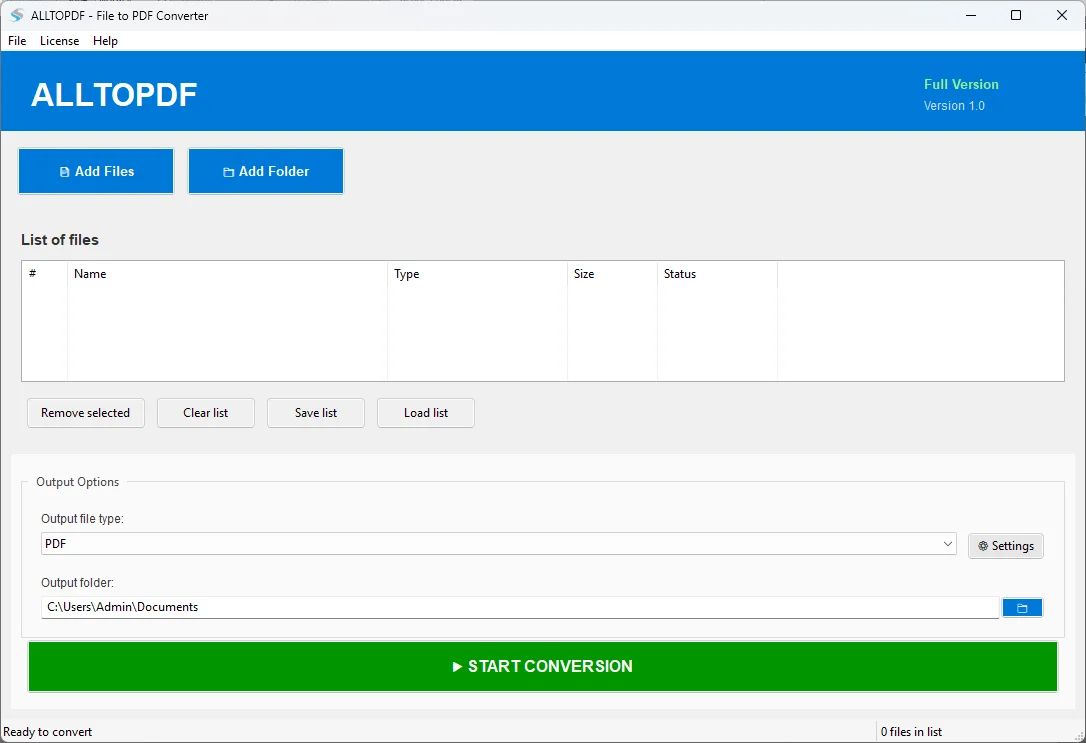
Main Interface

Clean and intuitive interface showing file list,output folder selection,and conversion controls that is easy to use for both beginners and professionals.

2All to PDF Settings and Configuration Screenshot 2
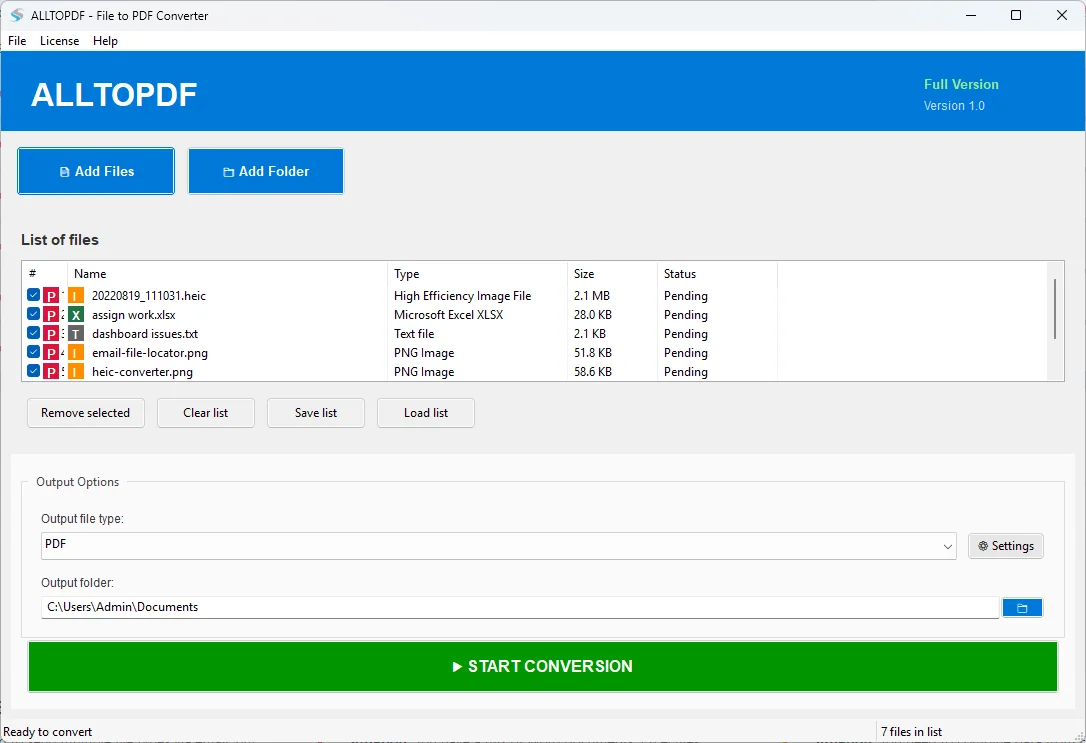
Settings & Configuration

For professional PDF production,you can adjust the page size,orientation,margins,compression,and quality settings using the extensive settings panel.
Advanced Settings Screenshots

3All to PDF Advanced Settings Screenshot 3

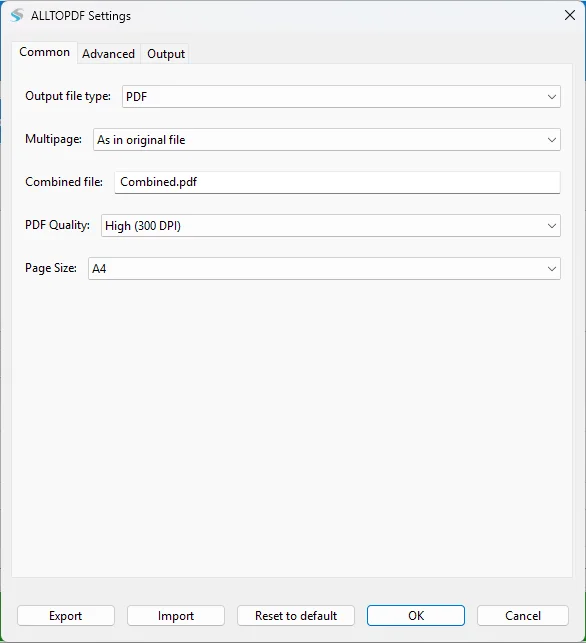
Common Settings

Set the page size,PDF quality levels,output type,and multipage handling options,and then you can store the output by either creating a separate or combined PDF for all the pages.

4All to PDF Output Settings Screenshot 4

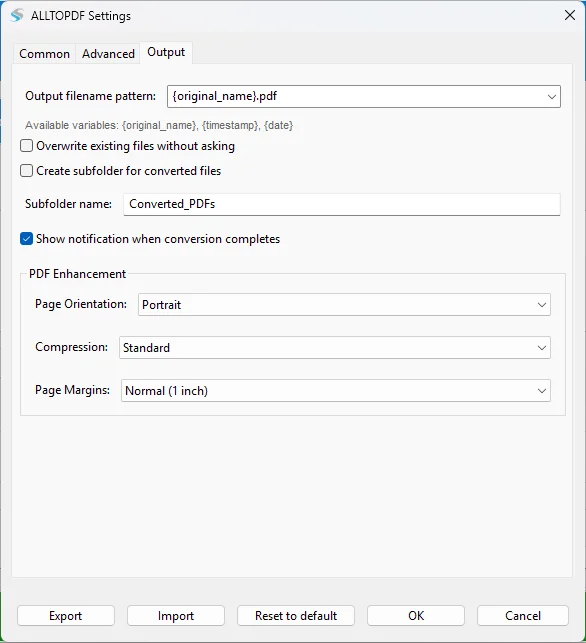
Output Settings

Manage filename patterns,overwrite options,and subfolder creation preferences. Set up automatic file naming conventions and organize output files efficiently.

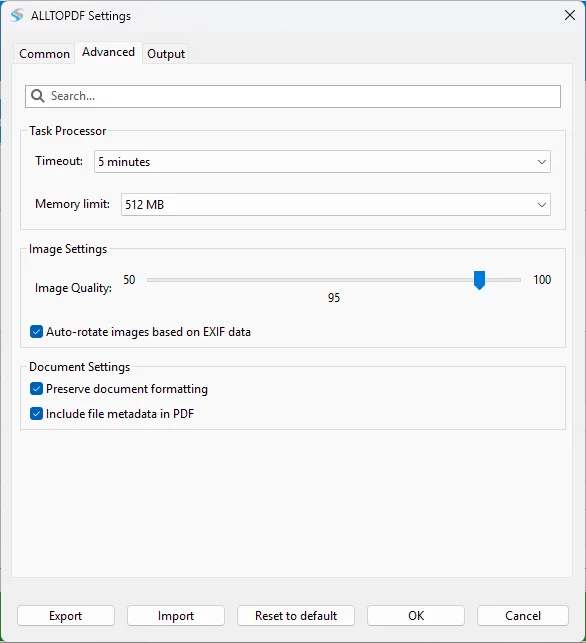
5All to PDF Advanced Options Screenshot 5

Advanced Options

Adjust memory limitations,timeout settings,image quality (50–100%),and turn on auto-rotation based on EXIF data. For the best PDF output,it controls margin settings,compression levels,and page orientation.

Key Features Visible in Screenshots

• Multiple File Support

Add and convert multiple files of different formats simultaneously with batch processing capabilities.

• Customizable Settings

Control page size,orientation,margins,compression levels,and DPI settings for optimal output quality.

• Output Management

Choose output folder location and organize converted PDF files with flexible naming options.

• Progress Tracking

Real-time status updates showing conversion progress for each file in the batch.

• File Selection

Easy file selection with checkboxes,allowing you to choose specific files for conversion.

• License Management

Simple license activation system to unlock full version features with unlimited conversions.